Edge infrastructure for secure connectivity

rstream is a developer-first platform for zero-trust networking. Expose local and private services through outbound-only tunnels, with identity-based access, policy enforcement, and observability handled at the edge, without requiring a VPN.

Core features

Transform localhost into global reach through secure tunneling

rstream combines a globally distributed edge network with lightweight agents to make private services reachable without inbound exposure. Agents maintain outbound-only tunnels, while the edge authenticates identity, enforces access policy, and routes requests to upstream services. The same model covers local development, internal access, and production traffic across HTTP and non-HTTP workloads, and works with existing stacks and environments.

Published endpoints

Expose HTTP and non-HTTP services as globally reachable endpoints without opening inbound ports. Agents maintain outbound tunnels, and the edge routes incoming traffic to the upstream service.

Private tunnels

Connect to services through client-only tunnels addressed by name or identifier. This fits internal access paths, fleet connectivity, and workflows where endpoints should not be publicly reachable.

Identity-based edge policy

Enforce identity and access policy at the entrypoint before traffic reaches upstream. rstream Auth, scoped tokens, mutual TLS, challenge mode, and IP or Geo restrictions can be applied consistently.

Multi-protocol

Use one connectivity model across protocols. HTTP 1.1, HTTP/2, HTTP/3 plus TLS, DTLS, and QUIC cover bytestream and datagram workloads, including legacy or custom protocols.

Multi-region routing

Serve users and systems close to where they run. Multi-region entrypoints keep routing centralized while agents stay lightweight and deployable across environments.

Observability built-in

Understand behavior end to end. Connection logs capture the path and edge decisions, and metrics expose trends for throughput, latency signals, errors, and performance.

Learn the core building blocks behind tunnels, agents, and edge routing. Explore the docs.
Get started

You’re three easy steps away from a working endpoint

Install the CLI, authenticate, select a project, and open your first endpoint with a single command.
  1. 1

    Install the CLI

    Install the rstream CLI on a developer machine, server, or device where resources need to be exposed.

  2. 2

    Authenticate and select a project

    Authenticate, then select the project that will own endpoints and credentials.

  3. 3

    Open the first endpoint

    Run rstream forward to publish a local port and obtain a forwarding address.

rstream is compatible with Linux, macOS and Windows. Get rstream now.

Security

Identity-based access for zero-trust networking

rstream verifies identity at the entrypoint before any request reaches upstream services. rstream Auth, scoped tokens, and mutual TLS support both human and machine access, while centralized edge policies enforce least-privilege rules across published endpoints, private tunnels, and browser-based operator flows.

Built in Europe, rstream gives teams that prefer a European solution a straightforward option for private connectivity and identity-aware access.

Private upstreams

Keep upstream services private. Agents connect outbound, reducing attack surface and removing the need for inbound firewall rules.

Encrypted tunnel transport

Protect agent-to-edge connectivity with encrypted transport. Published tunnel protocols can be terminated or forwarded based on tunnel configuration.

rstream Auth

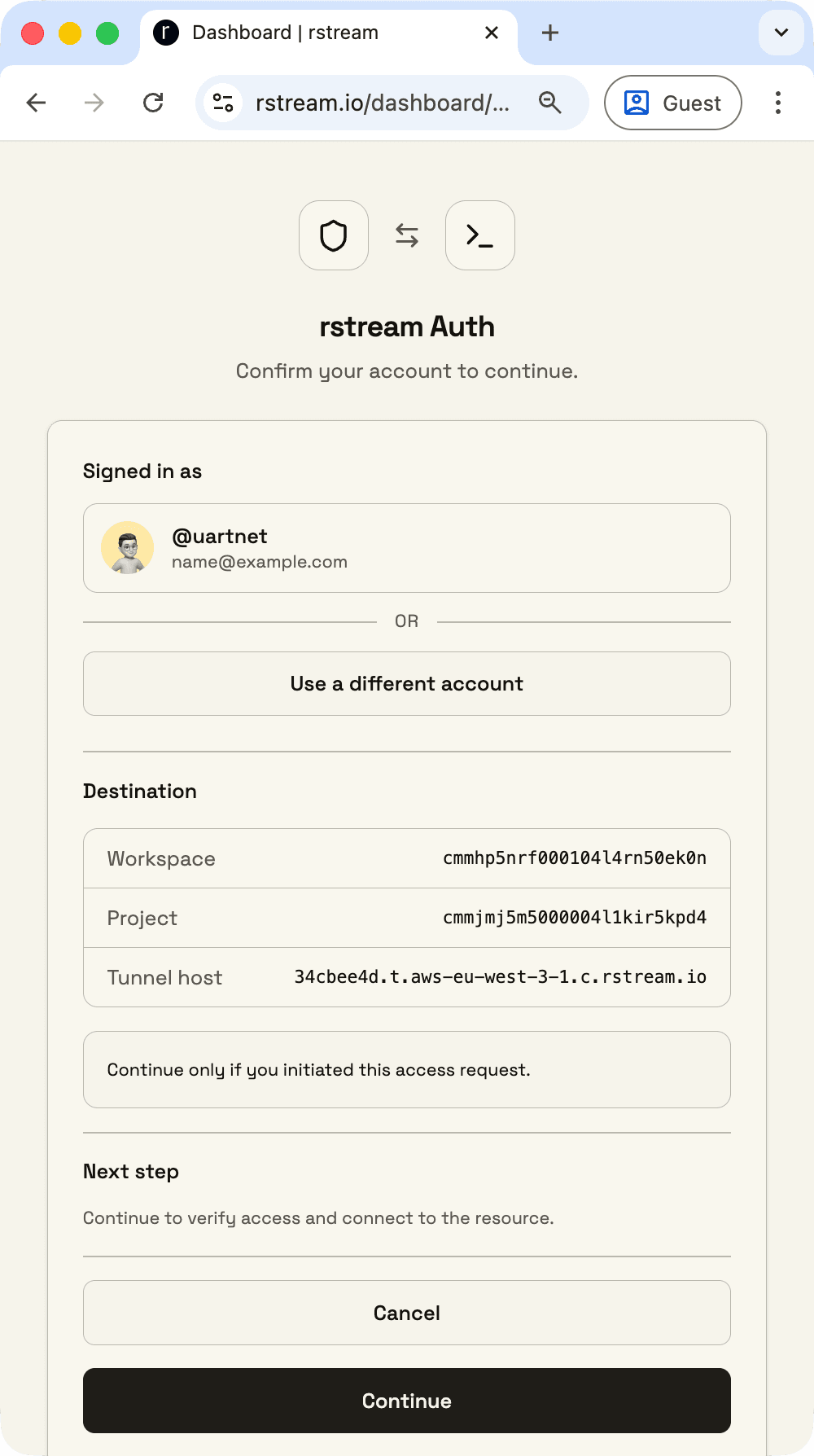
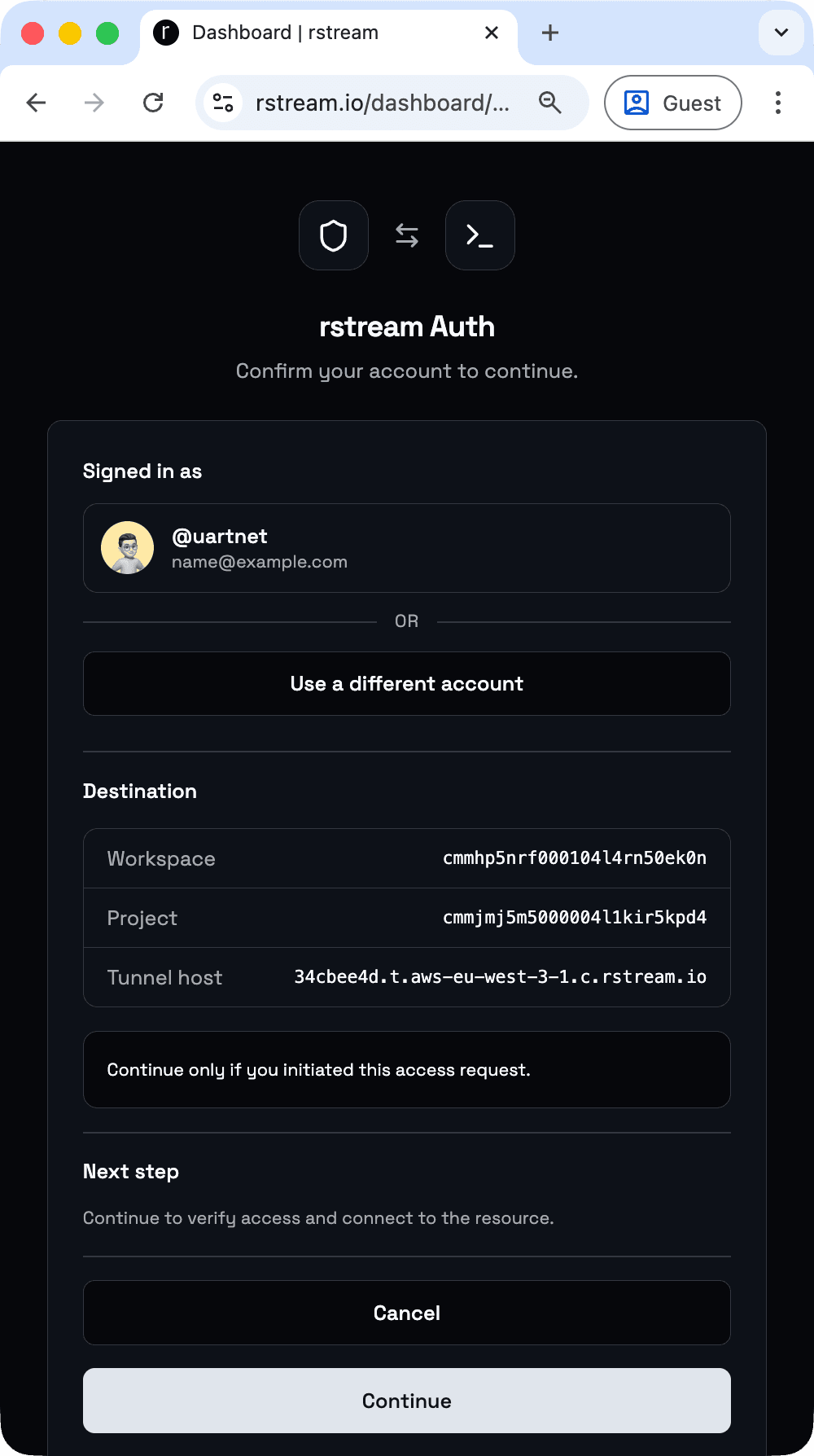
Use account-based browser authentication for operator and human access before requests are routed upstream.

Least-privilege tokens

Issue scoped credentials for discovery, creation, and access. Permissions can be narrowed to specific tunnels, labels, and access paths.

IP allowlists

Restrict access to known networks with allowed IP ranges.

Geo restrictions

Apply geographic restrictions at the entrypoint for additional control.

Mutual TLS identity

Require client certificates for strong machine identity when mTLS is enabled.

Zero-trust enforcement

Apply identity and access policy at the edge so published endpoints and private tunnels share one enforcement model across regions and environments.

Rotation and revocation

Rotate and revoke credentials to respond to compromise and lifecycle requirements.

Dive deeper into zero-trust access, rstream Auth, tokens, and enforcement rules at the edge. Read security docs.

How it works

How identity, policy, and routing fit together

rstream establishes outbound tunnels from environments running services or devices to the rstream edge network, keeping upstream services private and reachable without inbound exposure. Clients connect to the edge using a tunnel hostname or a private tunnel identifier. The edge authenticates identity through rstream Auth, scoped tokens, or mutual TLS, applies policy, then forwards traffic through the existing tunnel path. This model supports multi-region routing, keeps enforcement centralized, and produces logs and metrics that explain routing, policy, and upstream behavior.

Clients

d76659d1.t.aws-eu-west-3-1.c.rstream.io

GET /image.svg

rstream edge network

rstream engine server

accepting connection...

checking IP reputation...

checking geo policy...

verifying token...

routing upstream...

streaming response...

writing connection log...

Upstream

rstream agent

$ rstream expose 8080

forwarding: https://d76659d1.t.aws-eu-west-3-1.c.rstream.io

waiting for connections...

new connection

local service

$ python -m http.server 8080

Serving HTTP on 127.0.0.1:8080

GET /image.svg HTTP/1.1" 200 -

Go deeper into tunnel types, protocols, and how traffic is forwarded. Explore tunnels.

Use cases

Common deployment patterns

From local development and internal access to fleet operations, real-time communications, and generative AI workflows.

Local development

Expose local services for demos, QA, collaboration, or homelab tooling without asking developers to reconfigure networks. A forwarding address makes a localhost service reachable in minutes.

Network protection

Control identity-based access at the edge while keeping inbound ports closed. This reduces exposure, hides upstream addresses, and supports remote access to SSH, dashboards, and legacy services through a zero-trust access layer.

Fleet management

Operate devices and machines across networks using consistent access paths. Private tunnels and APIs can act as a signaling layer to discover endpoints and drive operational tooling.

Generative AI workflows

Distribute work across runners or GPU machines with scoped credentials and auditable access. This supports pipelines where generated code and agents require controlled network reachability.

Real-time communications

Handle low-latency patterns for datagram workloads and modern transports. This fits telemetry, metrics, video streaming, interactive control channels, and real-time signaling use cases.

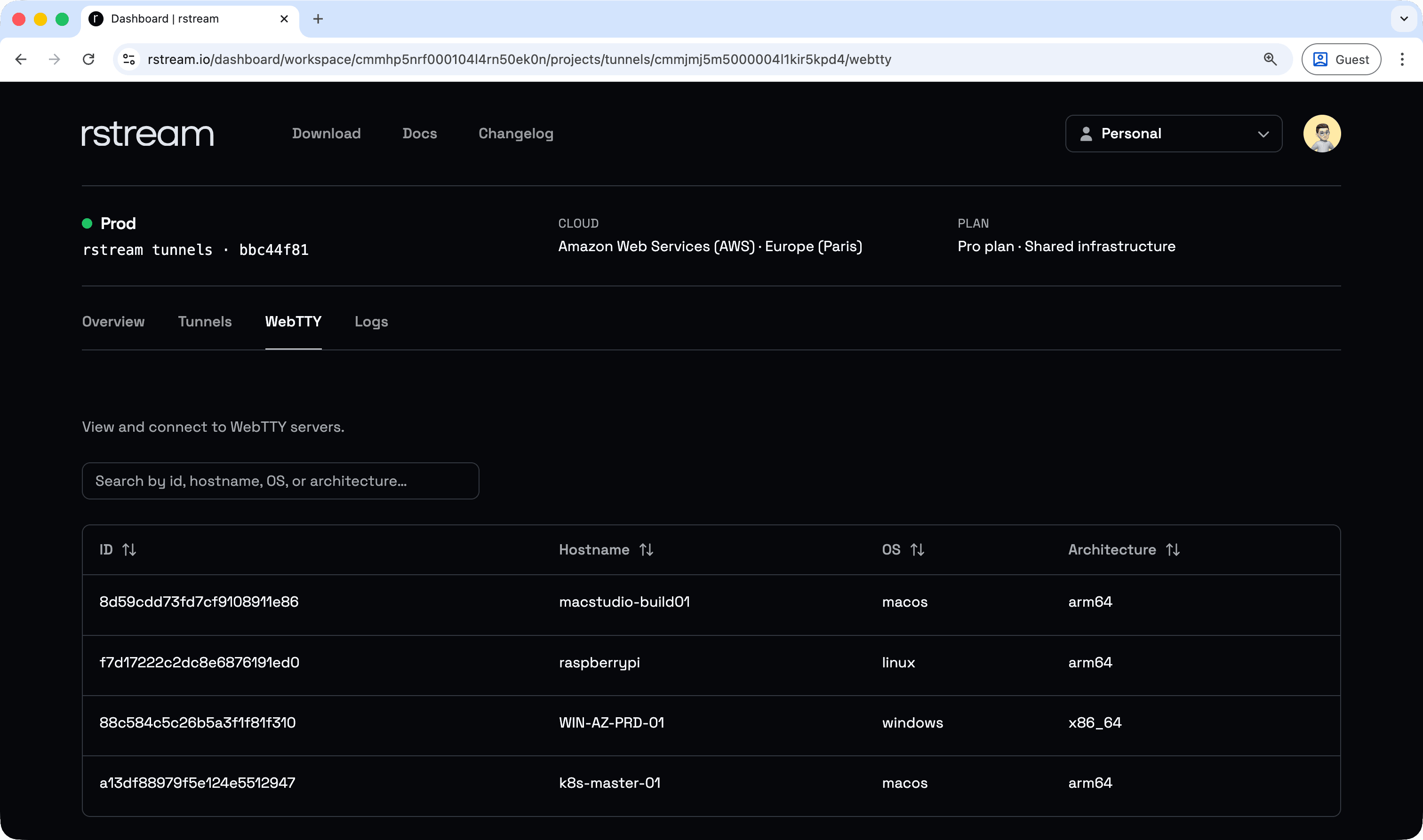
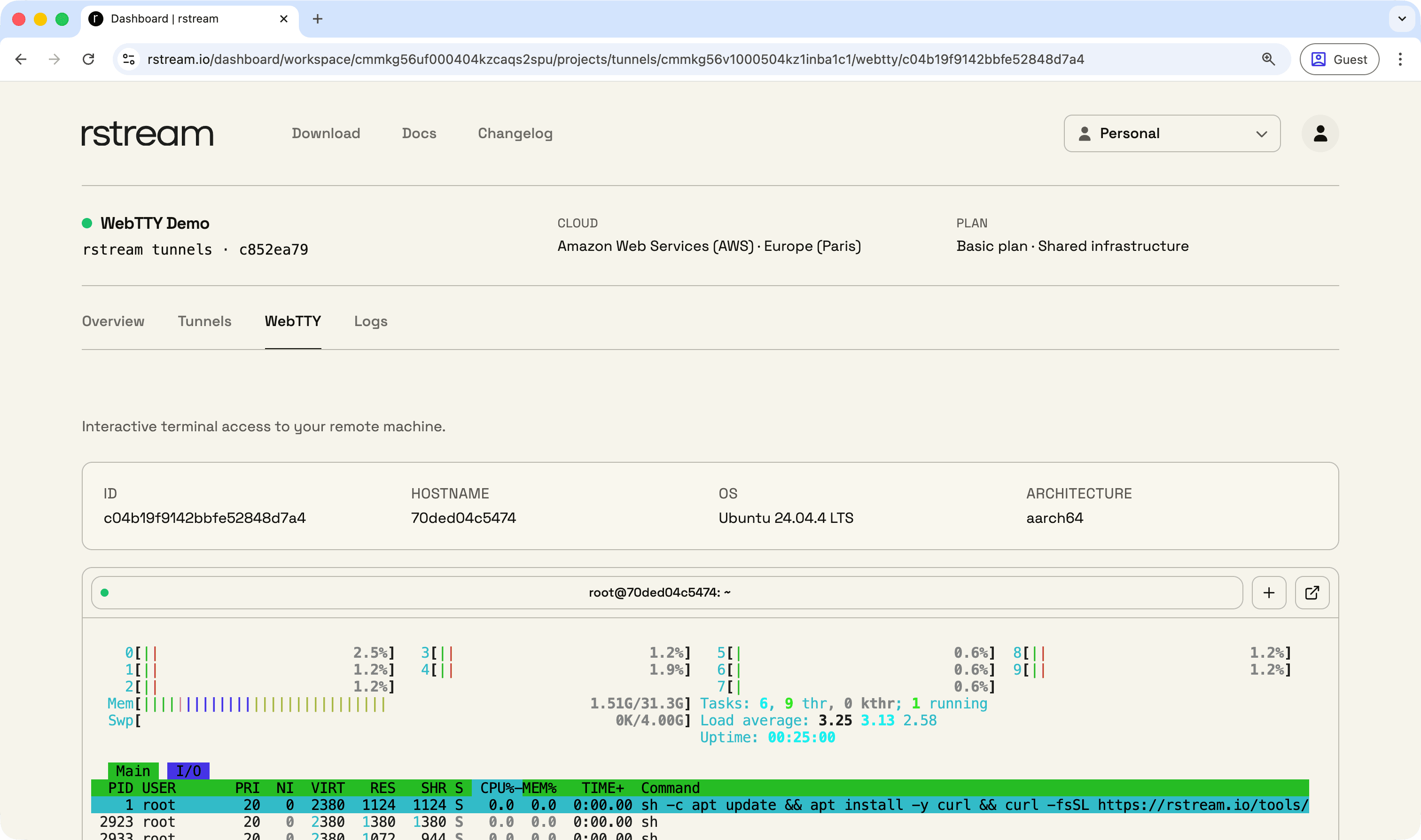
rstream dashboard webtty overview

rstream is designed to work across stacks and environments, so the same building blocks can be applied to a wide range of workflows.

Declarative tunnels

Infrastructure as code for consistent tunnels

Define tunnels as configuration that stays in sync with deployments. rstream reconciles desired state and applies updates as services change, using YAML, Docker labels, and Kubernetes-native workflows. Protocols, upstream targets, publishing, identity, and access policy live in versioned configuration.

YAML specification

Declare protocol, upstream target, publishing, and access policy in a versioned specification.

Docker labels

Attach tunnel configuration to services through labels so tunnel state follows the runtime stack.

Kubernetes-native workflows

Manage tunnel configuration alongside deployment workflows in Kubernetes environments.

Reconciliation

Keep tunnel state aligned as services change, avoiding drift and ad-hoc tunnel sprawl.

version: 1
tunnels:
  - name: "http-server"
    forward: "127.0.0.1:8080"
    tunnel:
      publish: true
      protocol: "http"
      labels:
        app: "http-server"
      http:
        version: "http/1.1"
        auth:
          token: true
          rstream: true

Move from ad-hoc setup to reconciled connectivity that stays aligned over time. Learn declarative tunnels.

Observability

Operational visibility for every connection

Trace every request and connection end to end. Logs capture the connection path and enforcement decisions, while metrics expose trends for throughput, latency signals, and error rates over time.

Connection logs

Inspect the full connection path from downstream to upstream, including entrypoint decisions, protocol details, and timing signals.

Live event stream

Subscribe to connection activity through the API for dashboards, alerts, and operational tooling.

Webhooks

Deliver events to external systems without maintaining a streaming connection.

Metrics

Track trends over time for throughput, latency signals, and error rates across services and environments.

No logs in this time range

Try a longer timeline or refresh.

Page 1 / 1

Learn how to investigate incidents with connection logs and operational metrics. Learn observability.

rstream SDKs

Integrate the rstream edge network into your applications

Integrate the rstream edge network directly into applications and services. SDKs provide programmatic connectivity to the edge network, endpoint exposure, private tunnel dialing, and scoped credentials so access control can be handled in code.

Go

Reference implementation with the broadest feature and protocol coverage. The CLI is built from the Go codebase.

JavaScript

Build product integrations that need tunnels plus platform workflows, including API access and event-driven patterns.

Python

Programmatically create tunnels and dial private endpoints in Python services and automation, including common web backends.

C++

Native integration for latency-sensitive services, agents, and gateways. Designed around the Boost.Asio asynchronous model.

package main

import (
	"context"
	"fmt"
	"net"
	"net/http"
	"os"

	"github.com/rstreamlabs/rstream-go"
	"github.com/rstreamlabs/rstream-go/config"
)

func main() {
	client, err := config.NewClientFromEnv()
	if err != nil {
		panic(err)
	}
	ctrl, err := client.Connect(context.Background(), nil)
	if err != nil {
		panic(err)
	}
	defer ctrl.Close()
	tunnel, err := ctrl.CreateTunnel(context.Background(), rstream.TunnelProperties{
		Protocol:    rstream.ProtocolPtr(rstream.ProtocolHTTP),
		HTTPVersion: rstream.HTTPVersionPtr(rstream.HTTP1_1),
		Publish:     rstream.BoolPtr(true),
	})
	if err != nil {
		panic(err)
	}
	defer tunnel.Close()
	addr, _ := tunnel.ForwardingAddress()
	fmt.Printf("Server accessible at: %s\n", addr)
	hostname, err := os.Hostname()
	if err != nil {
		hostname = "unknown"
	}
	http.HandleFunc("/", func(w http.ResponseWriter, r *http.Request) {
		w.Header().Set("Content-Type", "text/plain")
		fmt.Fprint(w, hostname)
	})
	http.Serve(tunnel.(net.Listener), nil)
}

Start integrating rstream directly into an application using the SDKs and examples. Explore integrations.

rstream WebTTY

Identity-aware web terminal access for fleet operations

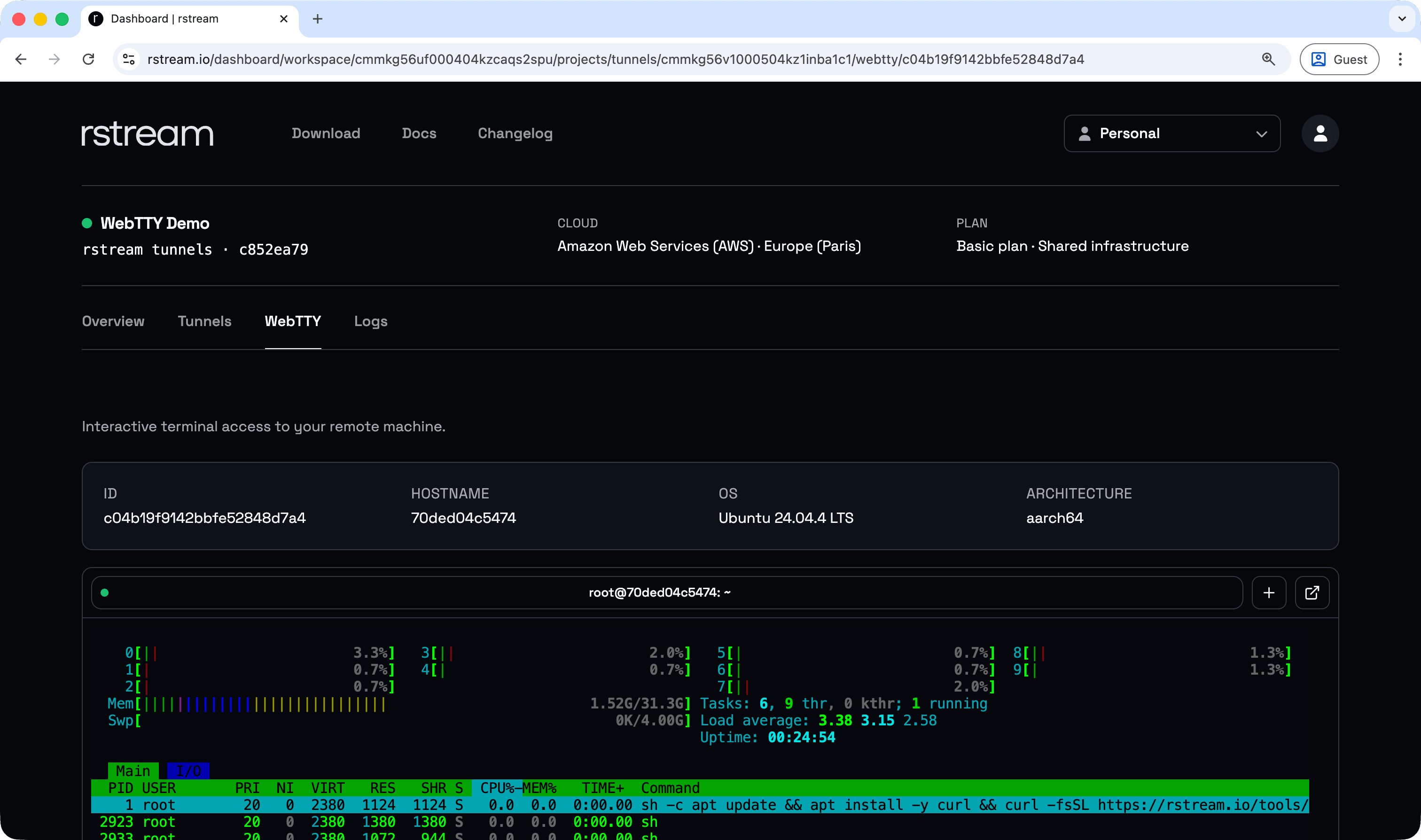
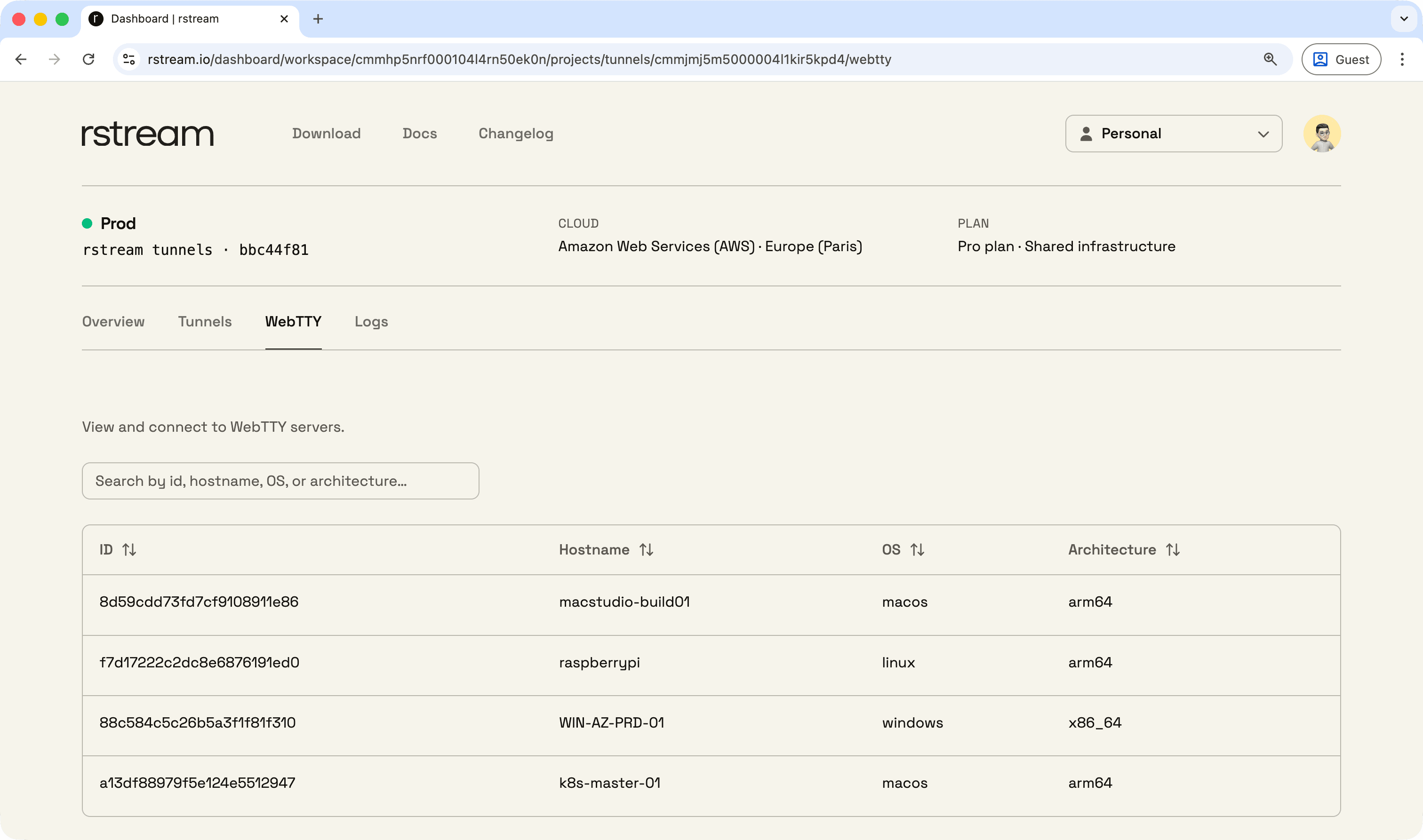
rstream WebTTY provides browser-based terminal access for managing machines and fleets. It enables secure remote command-line access without inbound ports or network reconfiguration, and sessions can be opened from the web dashboard, the CLI, or an SDK integration with identity and policy enforced at the entrypoint.

Browser sessions

Open remote terminal sessions directly from a browser, without requiring local SSH setup.

Fleet access

Use a consistent access path for machines and devices across environments, with identity and policy applied at the entrypoint.

Outbound-only deployment

Keep inbound ports closed. The WebTTY server establishes connectivity outbound.

Operational integrations

Open sessions from the dashboard, from the CLI, or embed access paths into tooling through SDK integration.

For a live walkthrough, open the Web Remote Terminal demo.

rstream sandbox

A runtime for LLM-generated code execution

rstream sandbox is an open source, general-purpose sandbox for running AI- and LLM-generated code under strong isolation. It is designed around isolation technologies such as gVisor, Kata Containers, and Firecracker microVMs, with filesystem and network access for real workloads plus multi-runner orchestration from a single host to a fleet. Self-hosted runners are free to run, with connectivity handled through rstream tunnels.

Open source sandbox

rstream sandbox is an open source, general-purpose sandbox runtime for AI- and LLM-generated code execution, including backend services, runners, and client libraries.

Isolation options

Use strong isolation strategies built around gVisor, Kata Containers, and Firecracker microVMs for untrusted and dynamically generated workloads.

General-purpose execution

Run generated scripts, agents, backend jobs, and tool workflows with filesystem and network access on native runners, in Docker-based environments, or in Kubernetes.

Multi-runner orchestration

Schedule workloads across one host or a fleet. Self-hosted runners are free to operate, and connectivity between components is handled through rstream tunnels.

import { Sandbox } from "@rstreamlabs/sandbox";
import * as dotenv from "dotenv";

async function main() {
  try {
    // Create new session
    const session = await new Sandbox().sessions.create();
    // Run python code and wait for the result
    const { stdout, exitCode } = await session.run({
      code: `print("Hello, World!")`,
      plugin: "python",
    });
    // Print outputs
    console.log(stdout);
    console.log(`Exit code: ${exitCode}`);
    // Close the session to free up resources
    await session.close();
  } catch (error) {
    console.error(
      JSON.stringify({ error: error?.message ?? String(error) }, null, 2),
    );
  }
}

dotenv.config({ path: [".env"] });

main();

rstream sandbox will be available later this year.

Self-hosted

Run the rstream engine on your own infrastructure

For deployments that require full operational control on infrastructure you operate.

rstream engine community edition

The rstream engine community edition is a self-hosted data plane. It is free to run, does not require an rstream account, and can operate fully offline within a private network perimeter.

Free community edition

Run the community edition at no cost while keeping deployment and operations under your control.

Your infrastructure

Deploy the engine inside your network boundary, including fully offline deployments.

Same connectivity model

Use the same tunnel concepts, client workflows, and SDK patterns for published endpoints and private tunnels.

Deployment options

Deploy on bare metal, Docker, or Kubernetes to match existing platform standards.

Deploy the community edition of the engine for full operational control. Self-host the engine.

Capabilities

Future proof networking capabilities

State-of-the-art protocol support with a consistent security model. rstream covers public endpoints and private tunnels, bytestream and datagram workloads, and modern transports, while remaining compatible with legacy and custom stacks. The platform is designed for low-latency connectivity with operational controls that stay predictable as requirements grow.

Published endpoints

Expose services as globally reachable endpoints without opening inbound ports.

Private tunnels

Dial client-only connectivity by tunnel name or identifier for non-public access paths.

HTTP endpoints

Publish HTTP services through the edge with consistent routing and policy.

HTTP/2 support

Enable multiplexed HTTP semantics where clients and configuration allow it.

HTTP/3 support

Enable modern HTTP/3 behavior for latency-sensitive client traffic.

WebSocket and upgrade

Support HTTP upgrade flows for long-lived connections such as WebSocket.

WebTransport

Support WebTransport over HTTP/3 for low-latency bidirectional traffic.

TLS tunnels

Publish TLS services as endpoints without exposing upstream networks.

DTLS tunnels

Publish datagram workloads with DTLS for UDP-style encrypted protocols.

QUIC tunnels

Publish QUIC services for modern datagram-capable transport semantics.

Bytestream tunnels

Handle TCP-like stream workloads with ordered, reliable delivery.

Datagram tunnels

Handle UDP-like message workloads for interactive and real-time patterns.

Published endpoints

Expose services as globally reachable endpoints without opening inbound ports.

Private tunnels

Dial client-only connectivity by tunnel name or identifier for non-public access paths.

HTTP endpoints

Publish HTTP services through the edge with consistent routing and policy.

HTTP/2 support

Enable multiplexed HTTP semantics where clients and configuration allow it.

HTTP/3 support

Enable modern HTTP/3 behavior for latency-sensitive client traffic.

WebSocket and upgrade

Support HTTP upgrade flows for long-lived connections such as WebSocket.

WebTransport

Support WebTransport over HTTP/3 for low-latency bidirectional traffic.

TLS tunnels

Publish TLS services as endpoints without exposing upstream networks.

DTLS tunnels

Publish datagram workloads with DTLS for UDP-style encrypted protocols.

QUIC tunnels

Publish QUIC services for modern datagram-capable transport semantics.

Bytestream tunnels

Handle TCP-like stream workloads with ordered, reliable delivery.

Datagram tunnels

Handle UDP-like message workloads for interactive and real-time patterns.

Custom protocol workloads

Carry legacy or custom bytestream/datagram protocols using the same tunnel model.

Token authentication

Gate access using tokens at the entrypoint before traffic is routed upstream.

Fine-grained token scoping

Scope discovery, creation, and access down to tunnel properties and access paths.

rstream Auth

Use account-based browser authentication at the entrypoint for operator access.

Challenge mode

Require a challenge step at the entrypoint to reduce automated abuse.

Mutual TLS

Require client certificates for strong identity when mTLS is enabled.

IP allowlists

Restrict access to known networks using IP ranges at the entrypoint.

Geo restrictions

Apply geographic constraints at the entrypoint as an additional policy layer.

TLS passthrough

Forward TLS end-to-end when upstream must own certificates and ALPN negotiation.

Terminated TLS publishing

Terminate TLS at the edge when the endpoint needs edge enforcement and visibility.

Connection logs

Inspect the end-to-end path and entrypoint decisions per request/connection.

Operational metrics

Track trends for throughput, latency signals, and error rates over time.

Custom protocol workloads

Carry legacy or custom bytestream/datagram protocols using the same tunnel model.

Token authentication

Gate access using tokens at the entrypoint before traffic is routed upstream.

Fine-grained token scoping

Scope discovery, creation, and access down to tunnel properties and access paths.

rstream Auth

Use account-based browser authentication at the entrypoint for operator access.

Challenge mode

Require a challenge step at the entrypoint to reduce automated abuse.

Mutual TLS

Require client certificates for strong identity when mTLS is enabled.

IP allowlists

Restrict access to known networks using IP ranges at the entrypoint.

Geo restrictions

Apply geographic constraints at the entrypoint as an additional policy layer.

TLS passthrough

Forward TLS end-to-end when upstream must own certificates and ALPN negotiation.

Terminated TLS publishing

Terminate TLS at the edge when the endpoint needs edge enforcement and visibility.

Connection logs

Inspect the end-to-end path and entrypoint decisions per request/connection.

Operational metrics

Track trends for throughput, latency signals, and error rates over time.

Live event stream

Subscribe to activity through the API for dashboards, alerts, and tooling.

Webhooks

Deliver the same event signals to external systems without a streaming connection.

Labels

Attach structured metadata to tunnels to drive discovery and access patterns.

Label-based discovery

Filter and locate tunnels by labels for fleet and multi-tenant workflows.

Declarative YAML

Define protocol, upstream, publishing, and policy in versioned configuration.

Docker labels

Attach tunnel intent to services so connectivity follows the container runtime.

Kubernetes-native workflows

Manage tunnel configuration alongside Kubernetes deployments and lifecycle.

Reconciliation

Keep runtime tunnel state aligned with declared configuration as services change.

Multi-region edge

Use multiple regions for entrypoints and routing close to users and systems.

SDK-driven tunnels

Create endpoints and dial private tunnels programmatically from application code.

WebTTY remote terminals

Provide browser-based terminal access for machines and fleets without inbound ports.

Sandbox microVM execution

Run AI- and LLM-generated code in isolated environments built around gVisor, Kata Containers, and Firecracker microVMs.

Live event stream

Subscribe to activity through the API for dashboards, alerts, and tooling.

Webhooks

Deliver the same event signals to external systems without a streaming connection.

Labels

Attach structured metadata to tunnels to drive discovery and access patterns.

Label-based discovery

Filter and locate tunnels by labels for fleet and multi-tenant workflows.

Declarative YAML

Define protocol, upstream, publishing, and policy in versioned configuration.

Docker labels

Attach tunnel intent to services so connectivity follows the container runtime.

Kubernetes-native workflows

Manage tunnel configuration alongside Kubernetes deployments and lifecycle.

Reconciliation

Keep runtime tunnel state aligned with declared configuration as services change.

Multi-region edge

Use multiple regions for entrypoints and routing close to users and systems.

SDK-driven tunnels

Create endpoints and dial private tunnels programmatically from application code.

WebTTY remote terminals

Provide browser-based terminal access for machines and fleets without inbound ports.

Sandbox microVM execution

Run AI- and LLM-generated code in isolated environments built around gVisor, Kata Containers, and Firecracker microVMs.

Full protocol and transport details, including tunnel modes and compatibility notes. View specifications.

Pricing

Find a plan to power your applications

Start free, then upgrade when more capacity and advanced features are required.

Basic

Ideal for individuals and small projects. Securely expose resources with basic requirements.

Free

  • HTTPS tunnels
  • WebSocket support
  • rstream WebTTY
  • Token-protected access
  • 1 GB bandwidth per month
  • 2 simultaneous tunnels
Start now

Pro

Designed for small teams requiring full protocol support, strong security controls, and support.

$99 / month

  • Private tunnels
  • TLS, QUIC and DTLS endpoints
  • rstream Auth (interactive HTTP auth)
  • Challenge mode (HTTP)
  • Fine-grained access tokens
  • IP and Geo access policies
  • Analytics
  • Email support
  • 50 GB bandwidth per month
  • 50 simultaneous tunnels
Start now

Enterprise

For organizations requiring isolated infrastructure, no quotas, and enterprise-grade security controls.

Custom

  • Dedicated isolated infrastructure
  • Unlimited bandwidth
  • Unlimited tunnels
  • User-controlled encryption
  • Key-based authentication
  • Dedicated support
Contact sales

Prices are listed in US dollars. Applicable taxes may be added. Invoices are provided in dashboard after purchase. Subscriptions may be cancelled at any time.

Compare plans, limits, and feature availability. View pricing.

FAQ

Your questions answered

Common questions about the platform, who it is for, supported protocols, security, observability, SDKs, and deployment options.

rstream provides developer-friendly zero-trust networking from private environments to globally reachable endpoints using outbound-only tunnels, with identity, policy enforcement, and observability handled at the edge.

For more detailed information, refer to the documentation.

Start deploying your first endpoint